Free & open source ยท PSAppDeployToolkit v4 ยท Intune ready

Package Windows apps
without writing PowerShell

PSADT Frontend is a self-hosted web app that turns an installer into a complete PSAppDeployToolkit package and an Intune .intunewin, in minutes and straight from your browser. No Windows build machine, no copy-pasting scripts, no forgotten detection rules.

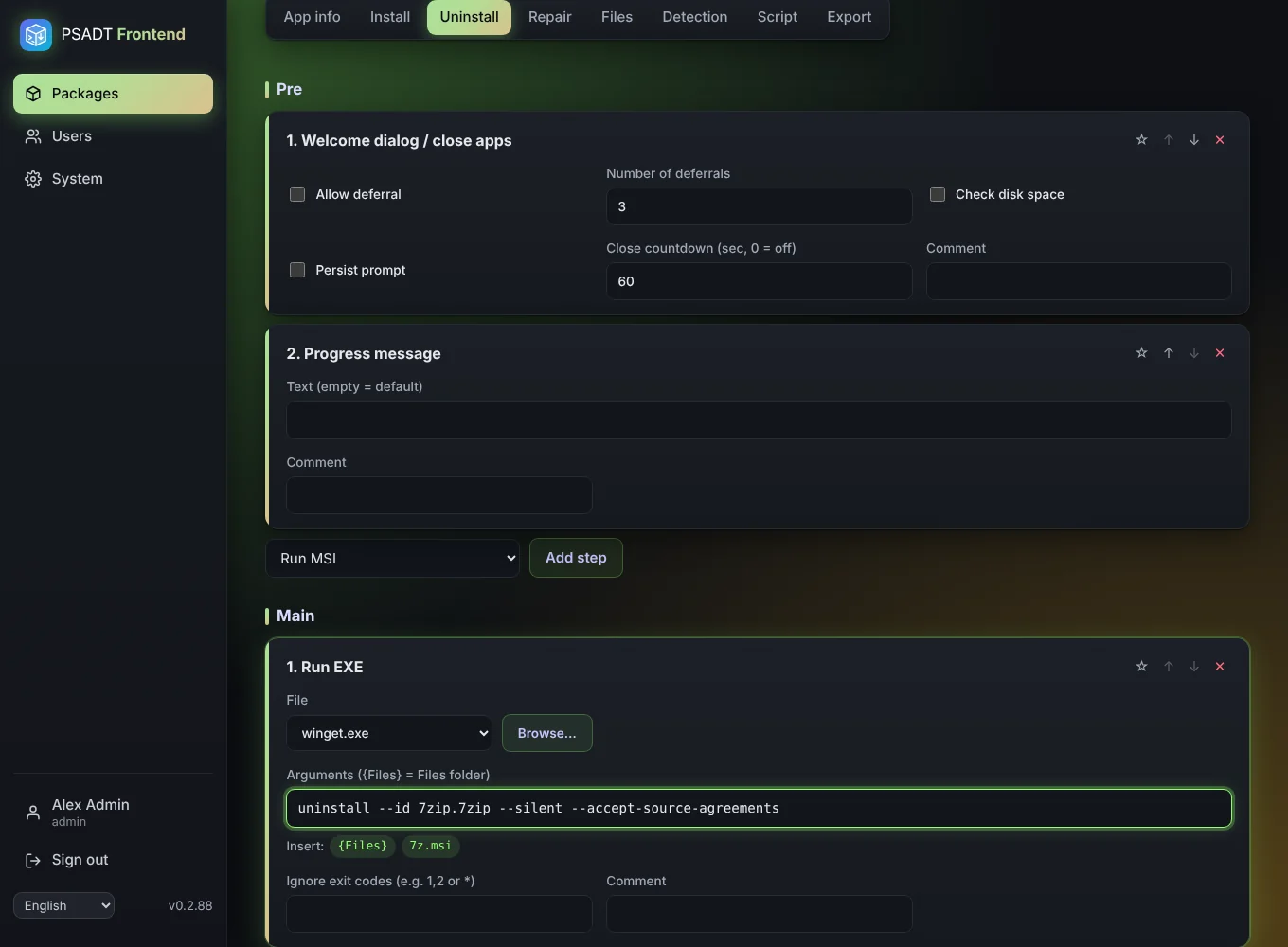
The package editor with install steps
0lines of PowerShell to write
~5 minfrom installer to .intunewin
3languages: EN, NL, DE
1command to install

Packaging shouldn't be the slowest part of your day

PSAppDeployToolkit is the gold standard for reliable Windows deployments. But writing and maintaining those scripts by hand is slow, error-prone and only a few people on the team can do it.

โœ— The usual way

  • Copy last month's script and hope you changed every line
  • A Windows VM just to build and wrap packages
  • Hunting for the ProductCode with Orca or the registry
  • Detection scripts written from memory, broken by a typo
  • One colleague who "knows how PSADT works"

โœ“ With PSADT Frontend

  • Fill in a form, pick steps from a list, done
  • Runs on any Linux box: Docker, Unraid or a Proxmox LXC
  • Read the ProductCode straight from the MSI with one click
  • Detection script generated for you, checked before download
  • The whole team builds packages the same, consistent way

Everything you need, nothing you don't

Built around the official PSAppDeployToolkit 4.1.8 template, so the result looks exactly like a script an expert would write by hand.

๐Ÿงฉ

Visual step editor

Welcome dialog, close apps, run MSI or EXE, uninstall by name, registry, files and custom PowerShell. Change the order with โ†‘ โ†“, even across Pre, Main and Post.

๐Ÿ“ฆ

ZIP and .intunewin

Download the full PSADT package or a ready-to-upload Intune Win32 file, with progress and the exact install and uninstall commands.

๐ŸŽฏ

Detection rules

MSI ProductCode, file version, registry (all hives) or MSIX. Read the ProductCode from the MSI itself. The script is generated for you.

๐Ÿ›ก๏ธ

Checked before download

Missing files, invalid settings or PowerShell syntax errors block the export. Warnings tell you what's worth a second look.

๐Ÿ–ฅ๏ธ

Windows tools built in

Use winget, msiexec, dism and friends without uploading them, and insert {Files} paths with one click.

โญ

Snippets

Save any step as a snippet and reuse it in every package. Your team's best practices, one click away.

๐Ÿ‘ฅ

Teams and roles

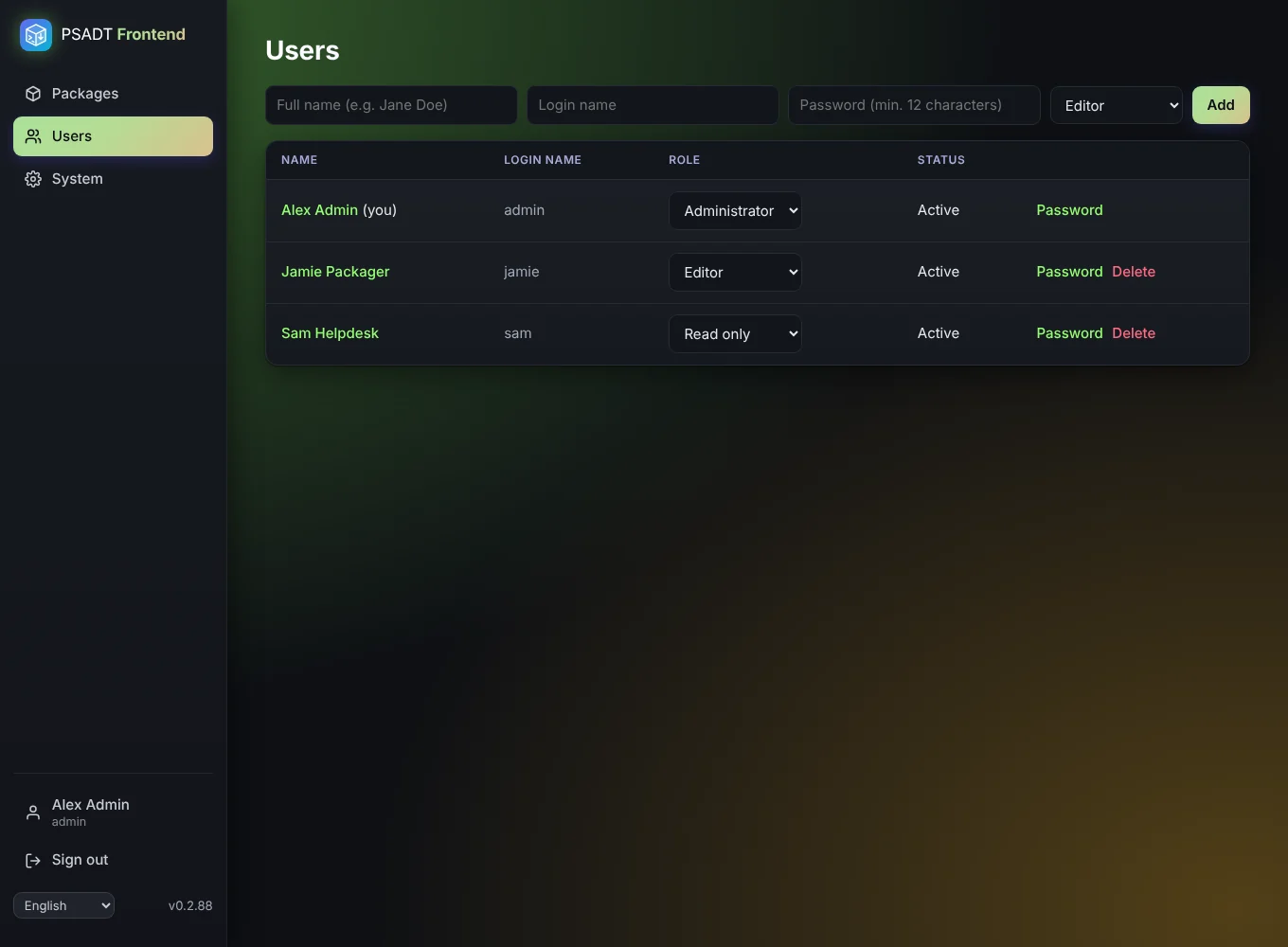
Administrators, editors and read-only users. Each with their own language, and export counters per person.

๐Ÿ’พ

Autosave and undo

Everything is saved as you type. Removed a step by accident? Undo puts it right back.

๐Ÿ”„

One-click updates

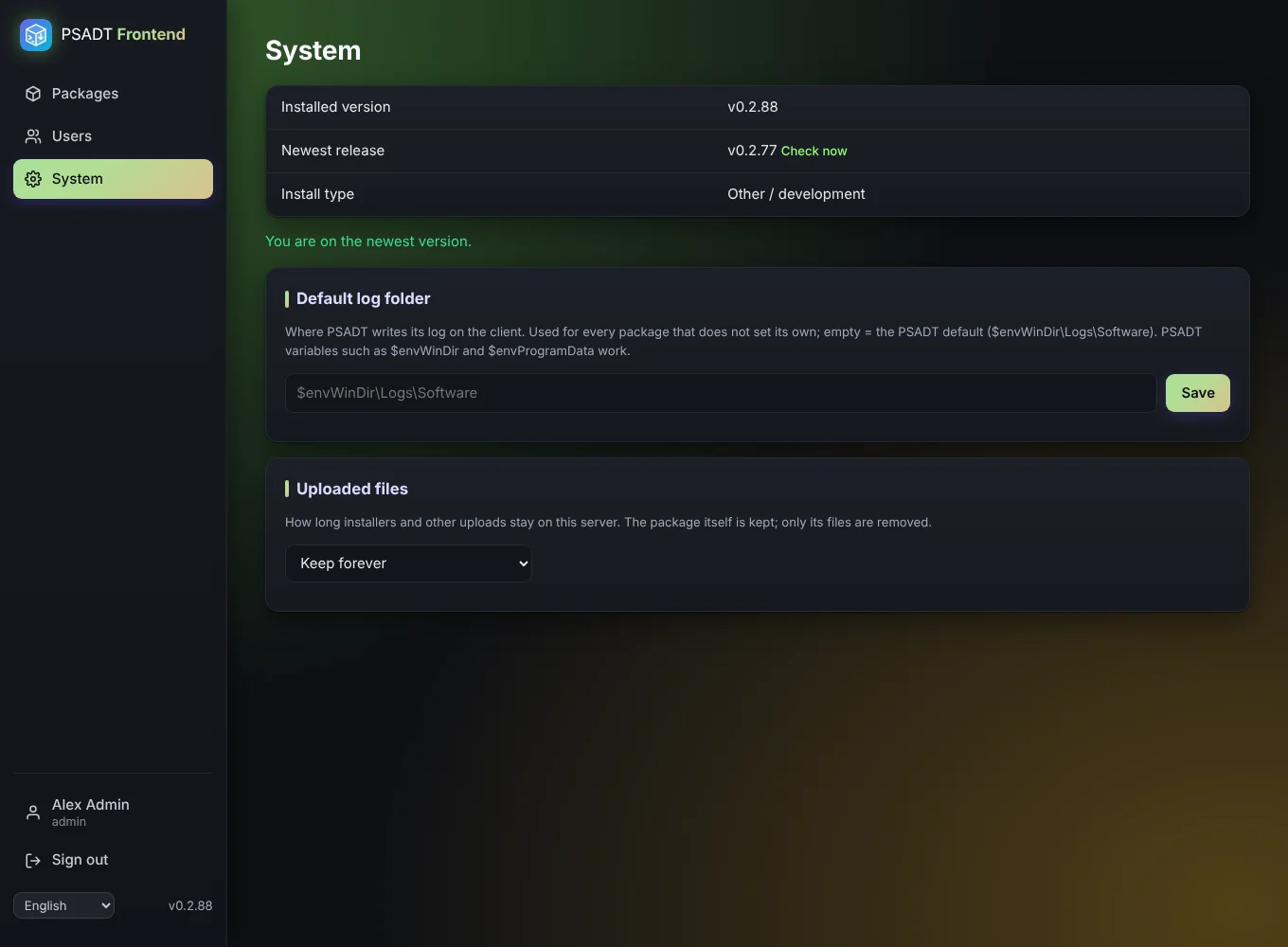
The System page tells you when a new version is out and updates the LXC install with a progress bar. Release notes in plain language.
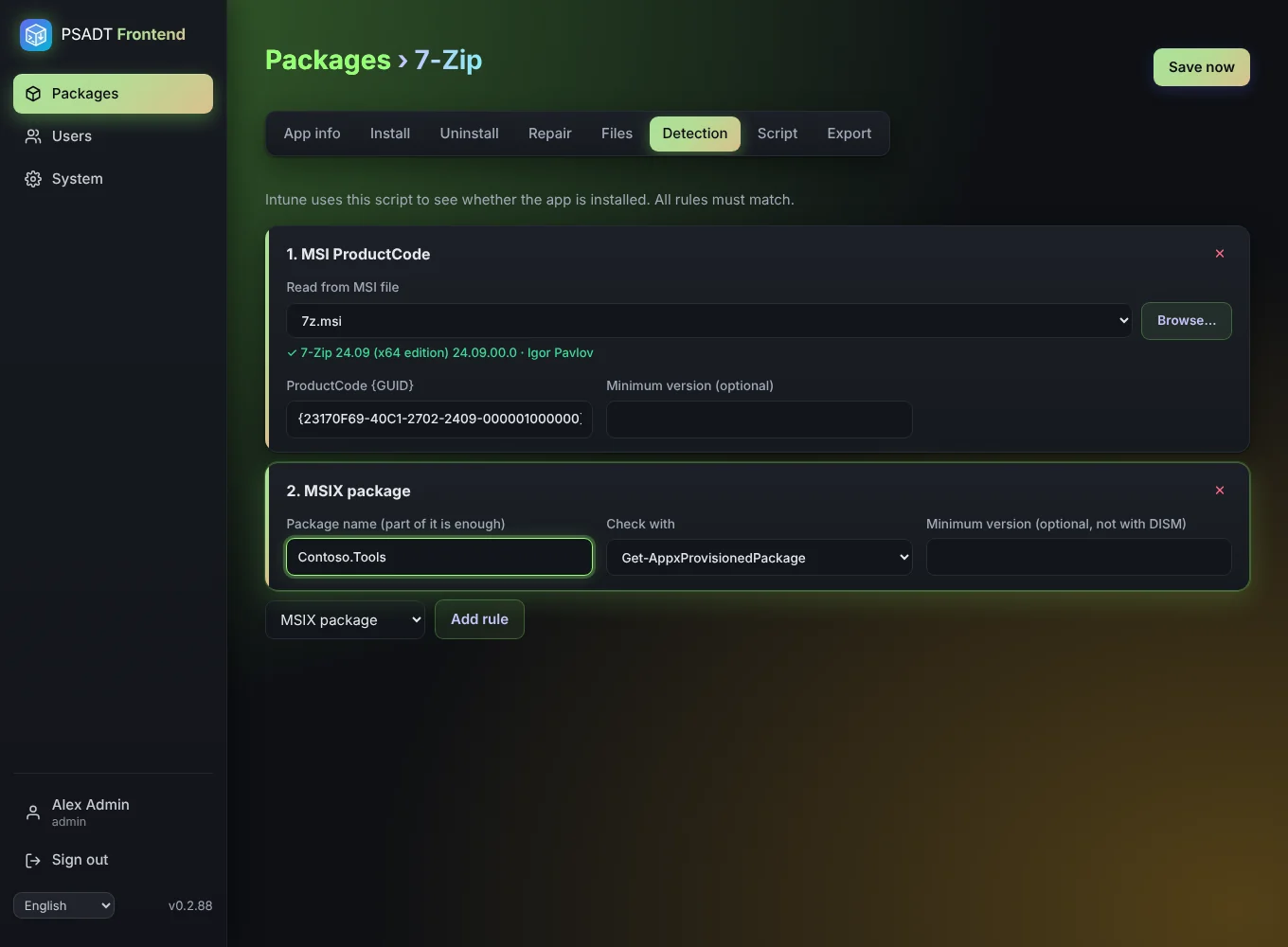
Read the ProductCode, skip the detective work

Upload the MSI, click Browse, and PSADT Frontend reads the ProductCode, version and manufacturer from the file itself. The Intune detection rule is filled in for you.

  • MSI, file, registry and MSIX rules
  • Minimum versions, so Intune upgrades older installs
  • Download the detection script separately
Detection rules

A real PSADT script, not a black box

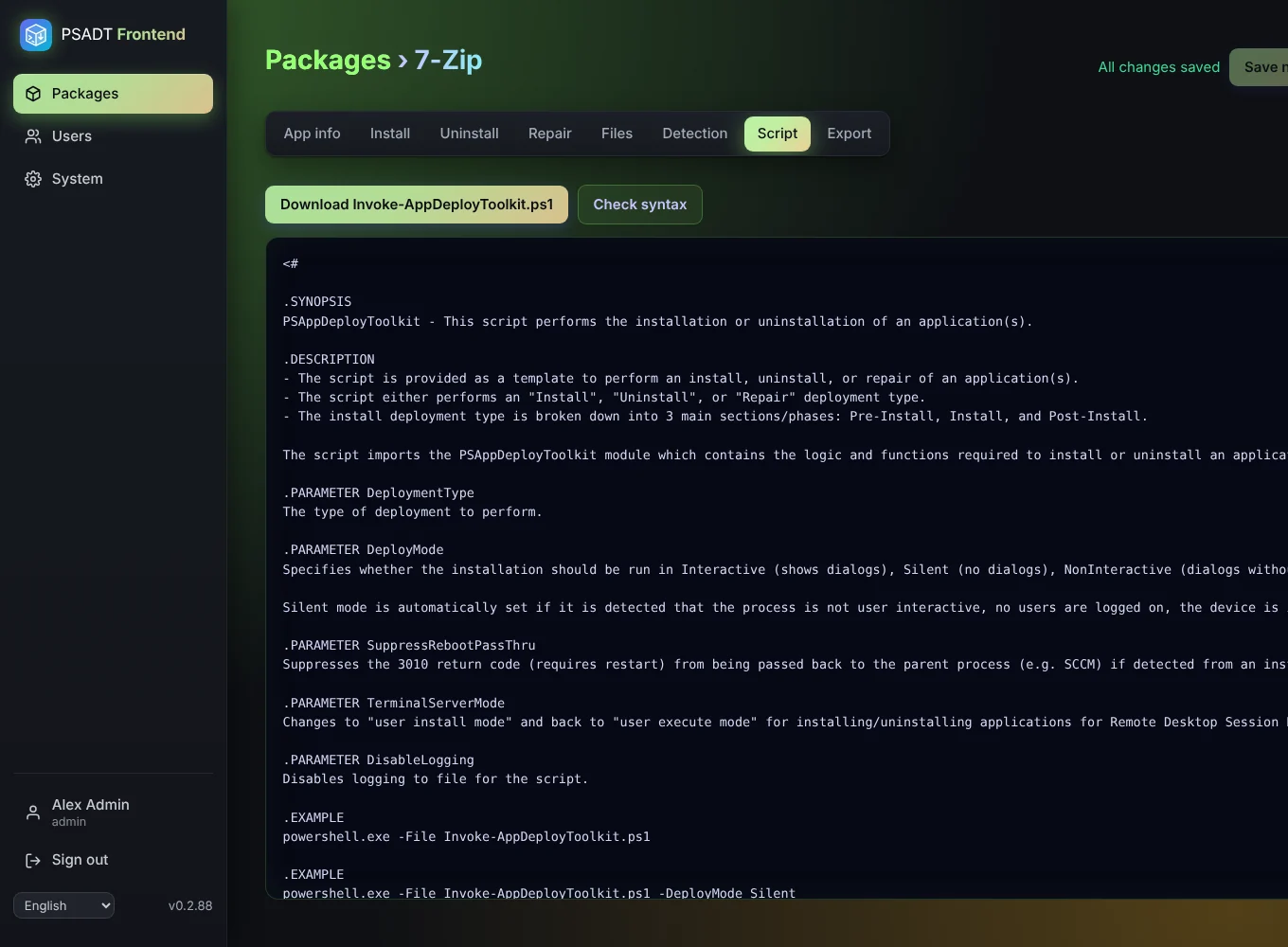
See the generated Invoke-AppDeployToolkit.ps1 at any time. It follows the official v4 template, so anyone who knows PSADT can read it, and you can check its syntax with one click (it is only parsed, never run).

  • Your steps in the standard Install, Uninstall and Repair functions
  • Comments from the editor end up in the script
  • Logs to the folder you choose
Generated script

Straight into Intune

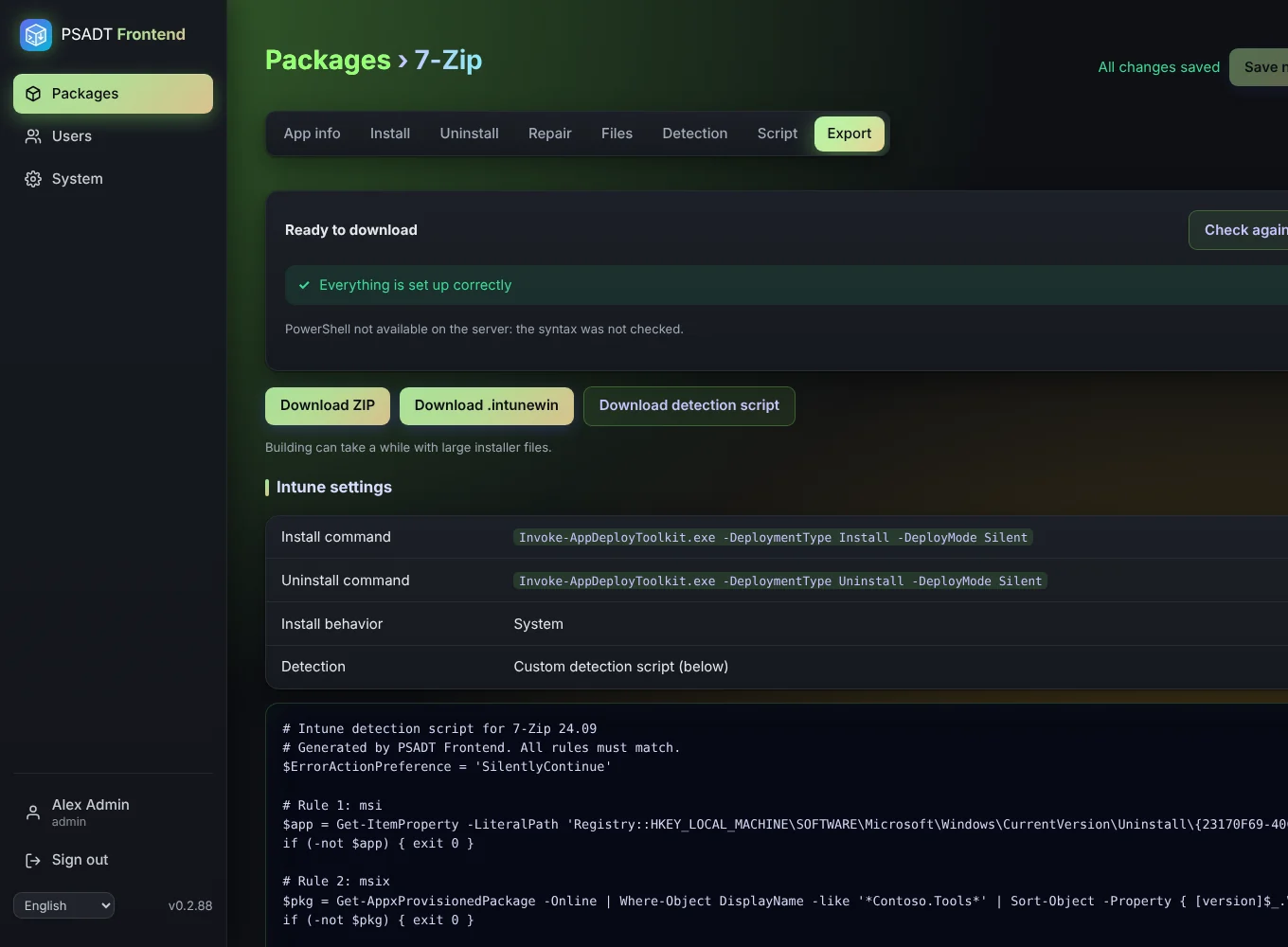
The Export tab gives you the .intunewin, the detection script and the exact commands to paste into Intune. Nothing to look up, nothing to forget.

  • Install and uninstall commands ready to copy
  • Install behavior: System
  • Every export counted, once per version
Export to Intune

From installer to Intune in six steps

The step-by-step guide walks you through all of it with 7-Zip as the example.

Create a package

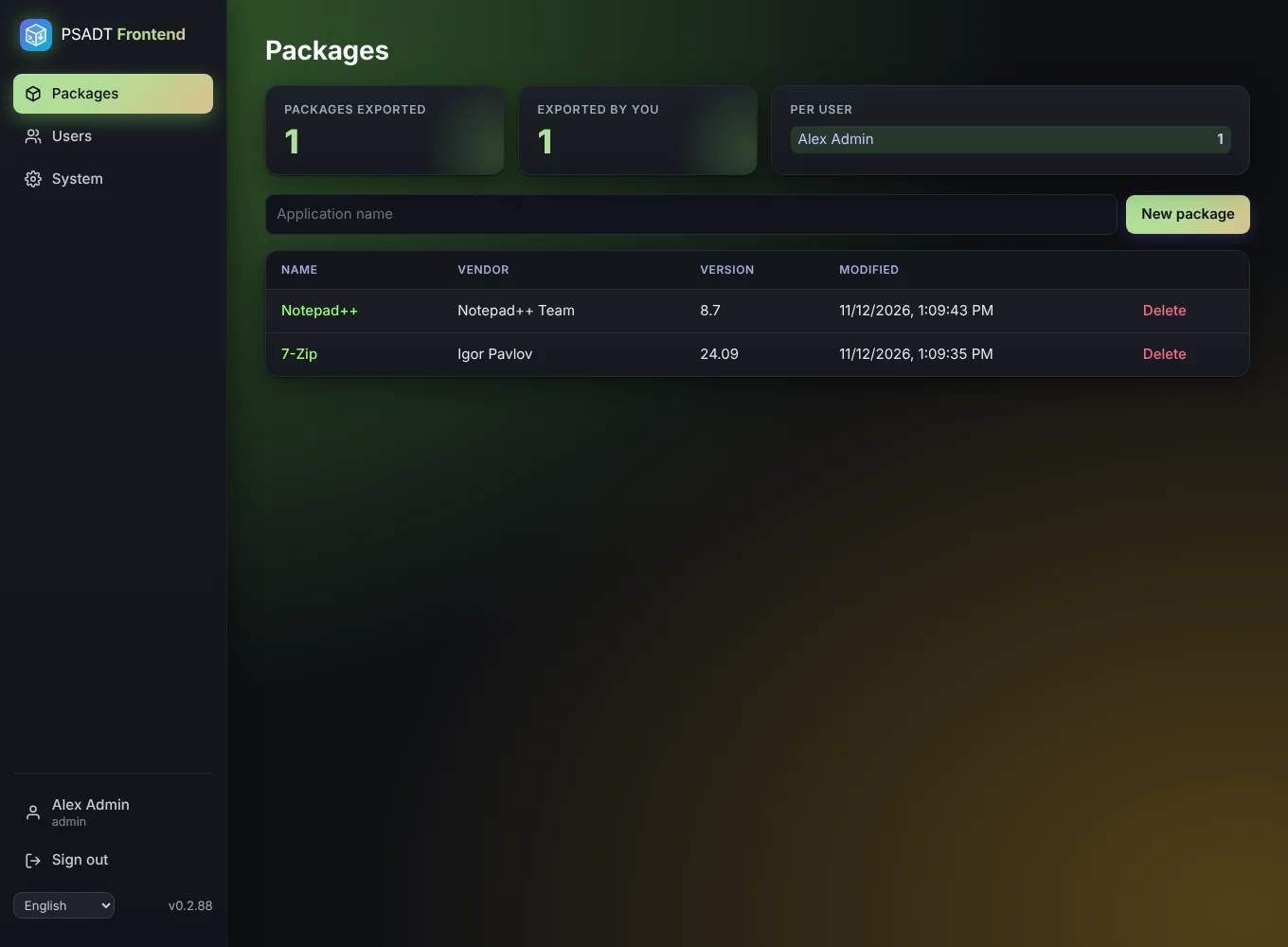
Type the app name and click New package.

Fill in the app info

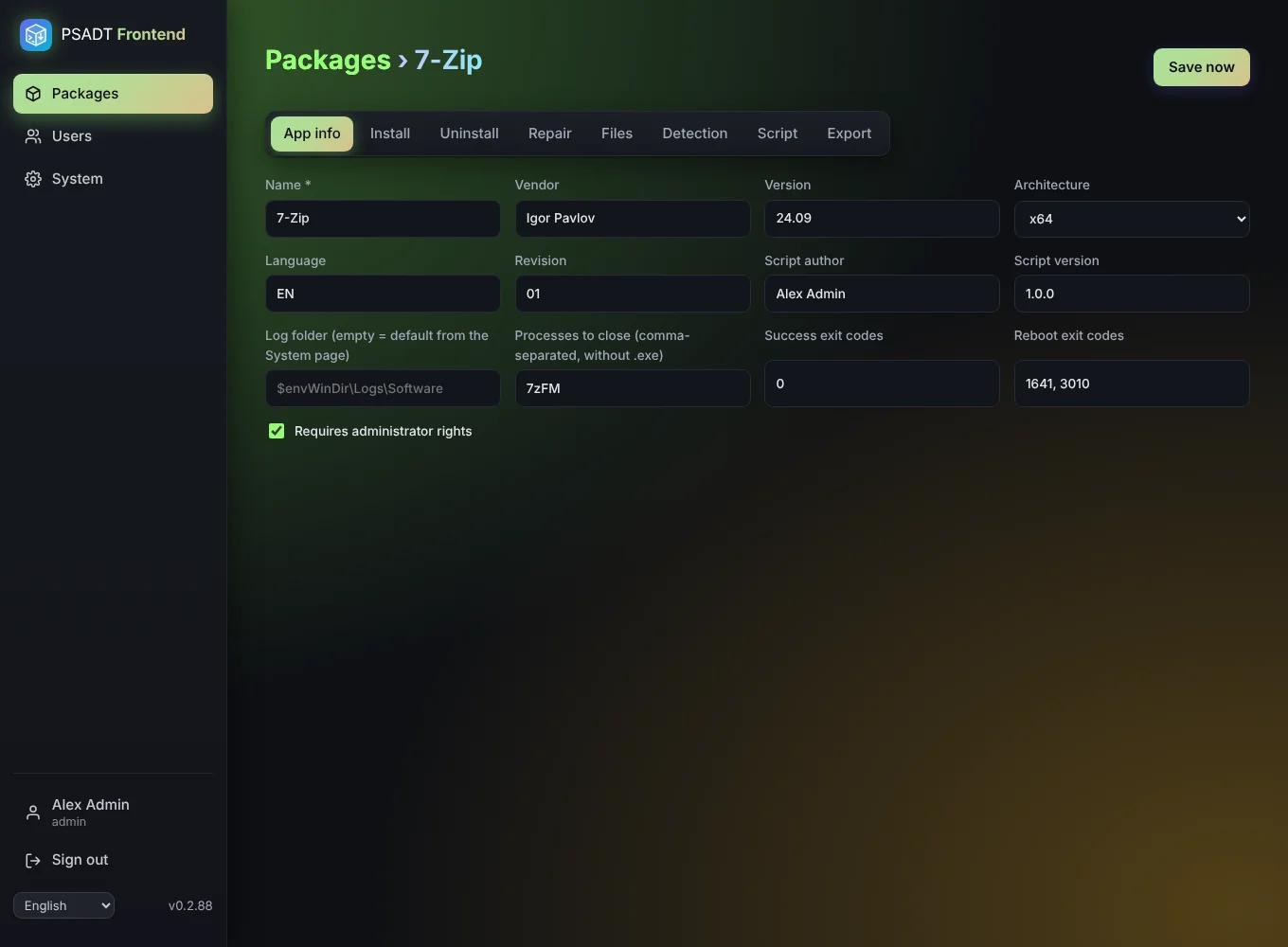
Vendor, version and the processes to close during the install.

Upload the installer

MSI, EXE, MSIX or anything else. Large files are no problem.

Add steps

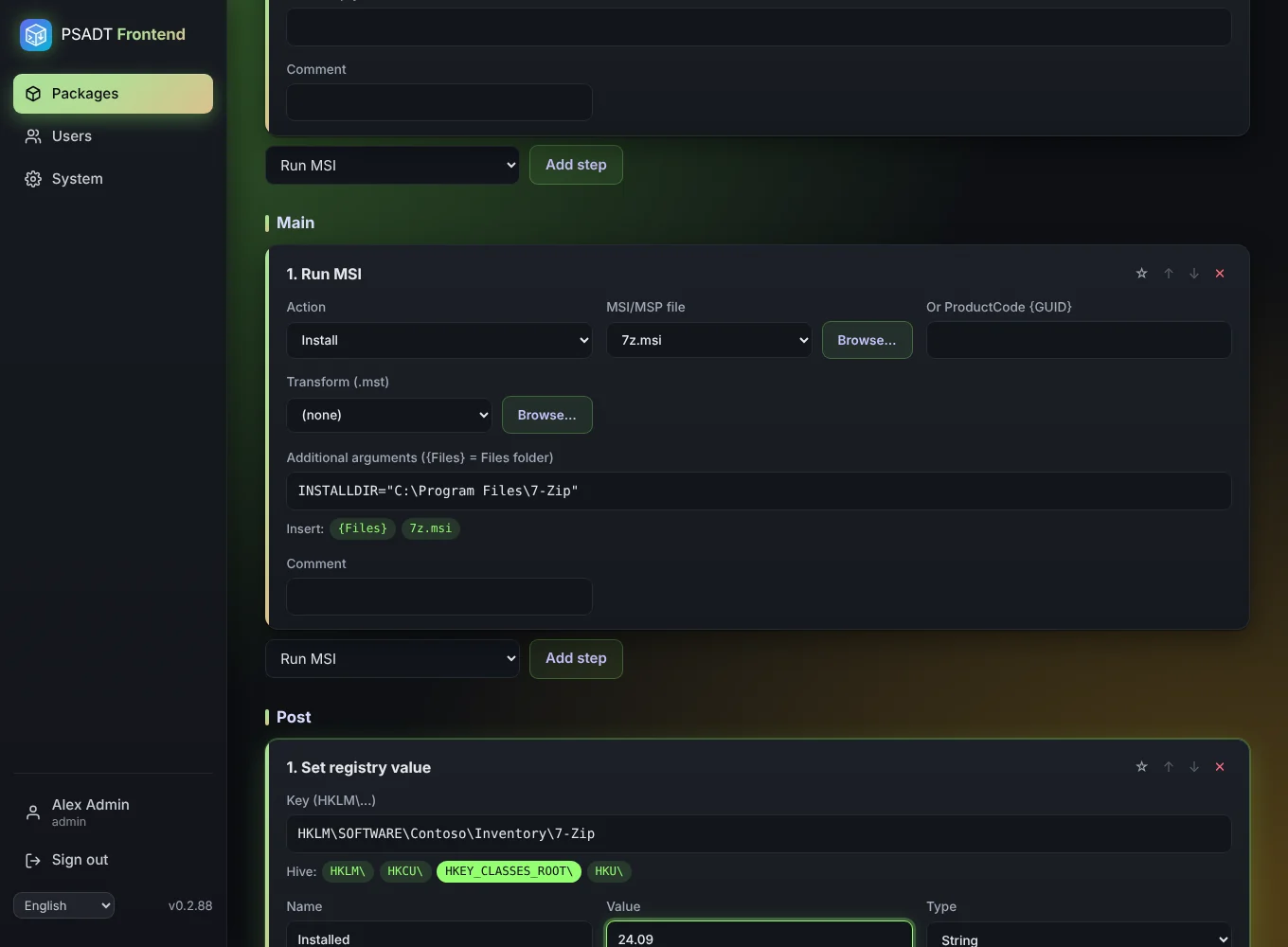
Pick Run MSI, choose the file with Browse, and you're done. Same for uninstall.

Set detection

Read the ProductCode from the MSI, or add a file or registry rule.

Export

Download the .intunewin and the detection script, and add the app in Intune.

Take a look around

A calm, dark interface that stays out of your way. Click a screenshot to enlarge it.

Up and running in two minutes

Free, open source and self-hosted. Your installers never leave your network.

๐ŸŸง Proxmox (LXC)

Run on the Proxmox host. You get the familiar community-scripts menu; the admin password is shown at the end.

bash -c "$(curl -fsSL https://raw.githubusercontent.com/Starf0x/PSADT-Frontend/main/ct/psadt-frontend.sh)"

๐Ÿณ Docker / Unraid

Use the image ghcr.io/starf0x/psadt-frontend:latest, port 8000, and a volume for /data.

docker run -d --name psadt-frontend -p 8000:8000 \
  -v /mnt/user/appdata/psadt-frontend:/data \
  -e PSADT_COOKIE_SECURE=false \
  ghcr.io/starf0x/psadt-frontend:latest

Then open http://<your-server>:8000 and sign in as admin. Full details in the installation guide.

Questions

Do I need a Windows machine to build packages?

No. PSADT Frontend runs on Linux and builds both the ZIP and the .intunewin itself. You only need Windows to test the package, and of course on the PCs you deploy to.

Is it really free?

Yes. It's open source on GitHub. There's no account, no cloud and no licence key.

Which PSADT version does it use?

The official PSAppDeployToolkit 4.1.8 template (v4). The generated script follows that template exactly.

Can I still write my own PowerShell?

Of course. The Custom PowerShell step inserts your code as is, and the syntax check catches typos before you download.

Does it work behind a reverse proxy?

Yes: Nginx Proxy Manager, Traefik, Caddy, Zoraxy or Cloudflare. Uploads are sent in 5 MB pieces, so proxy size limits don't get in the way.

Is it secure?

Sessions live in HttpOnly cookies, every change needs a CSRF token, passwords are hashed with argon2 and accounts lock after failed attempts. The container runs as non-root on a read-only filesystem.

Ready to package your next app in minutes?

Install PSADT Frontend today and let the whole team build reliable PSAppDeployToolkit packages.